What it looks like
These screens show the current TypVault beta, in the order a tip travels: the reporter, the program, and the agency that receives it. The experience may change as testing continues.
Submitting a tip
Section titled “Submitting a tip”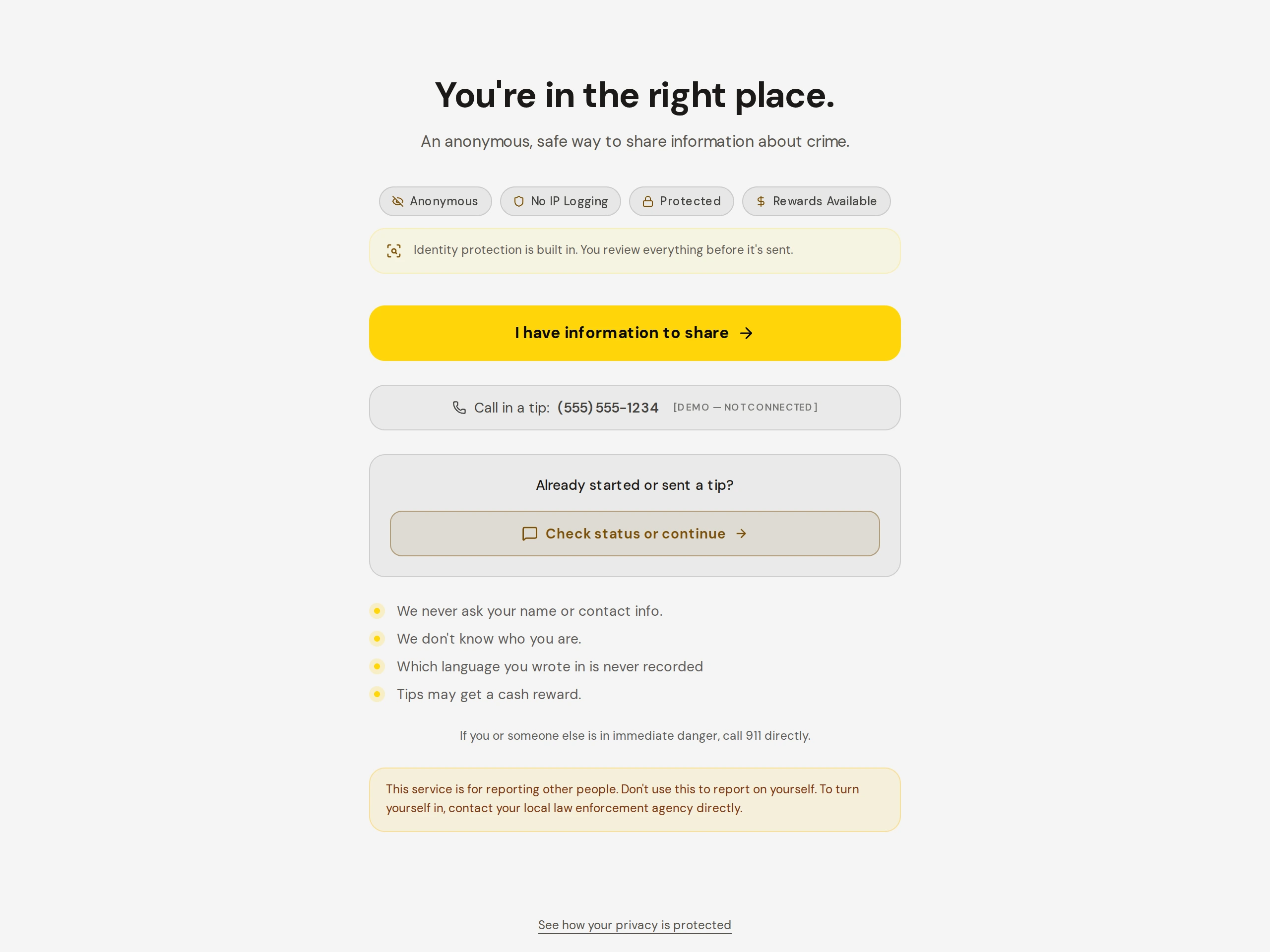
Figure 1. The first screen a reporter sees.
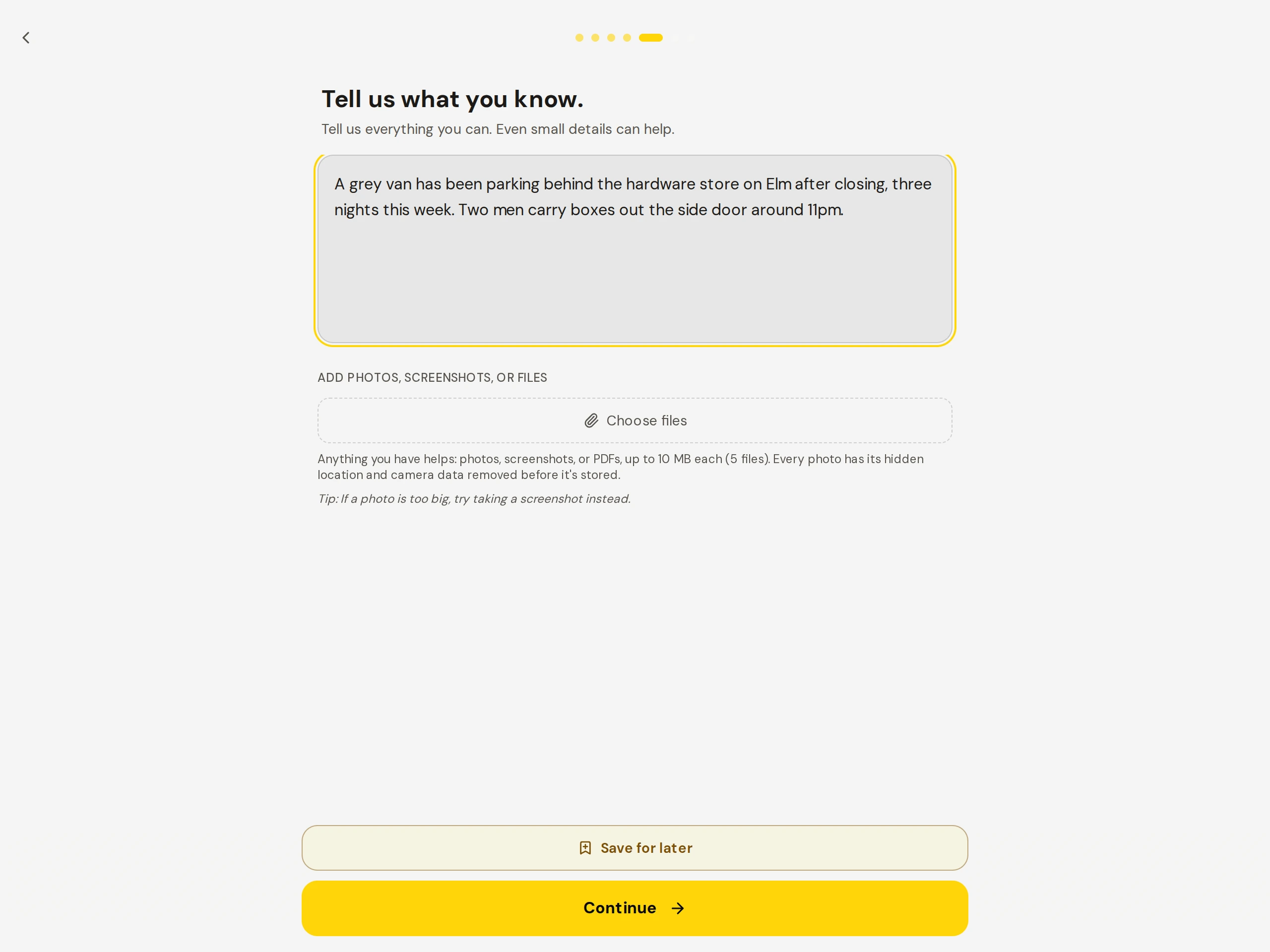
Figure 2. What the tip form asks for.
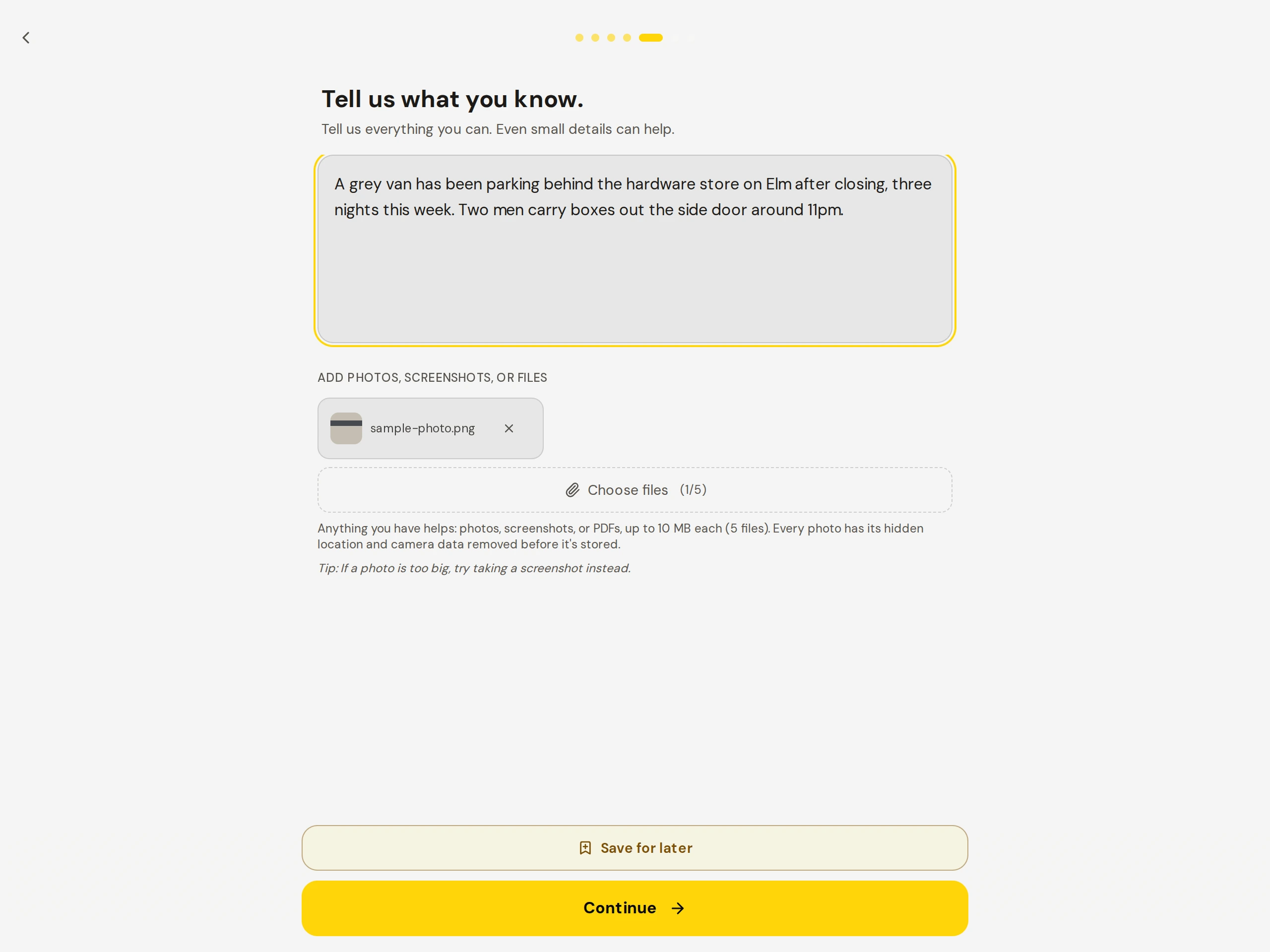
Figure 3. Adding a photo or a video to a tip.
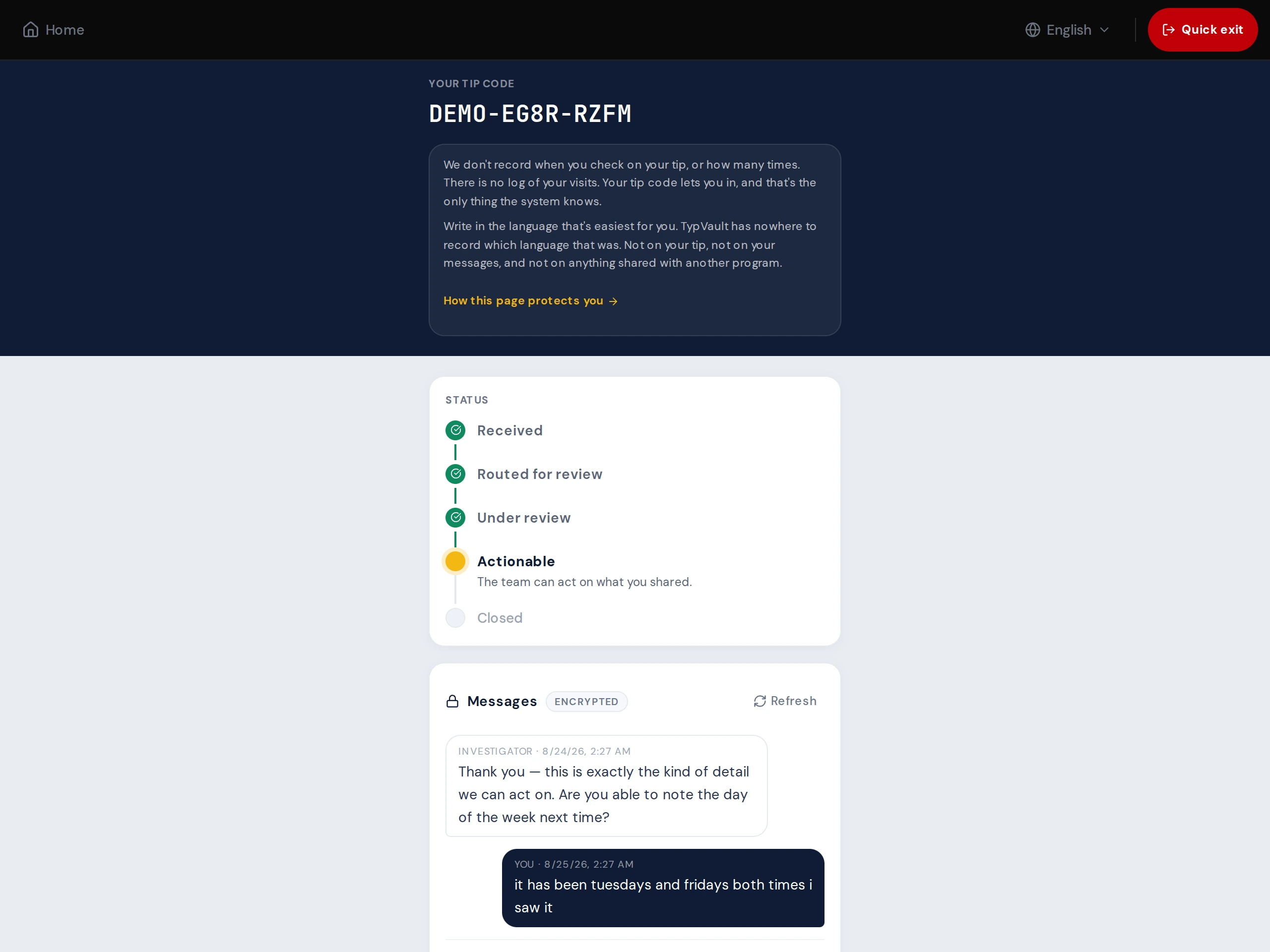
Figure 4. The reporter returns with their code and sees the conversation.
Running a program
Section titled “Running a program”
Figure 5. The program’s queue, with one tip open.
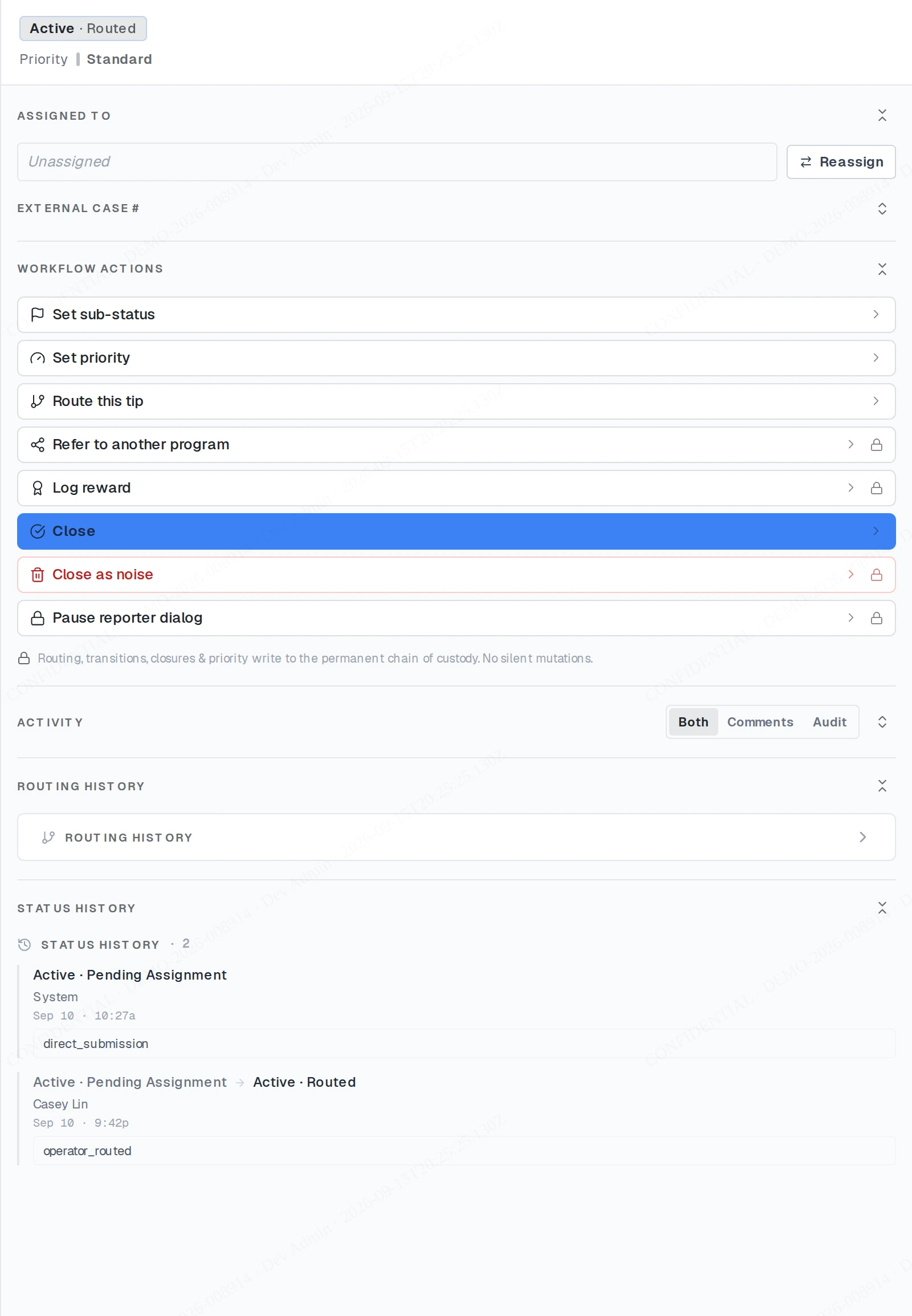
Figure 6. Who has opened a tip, and when.
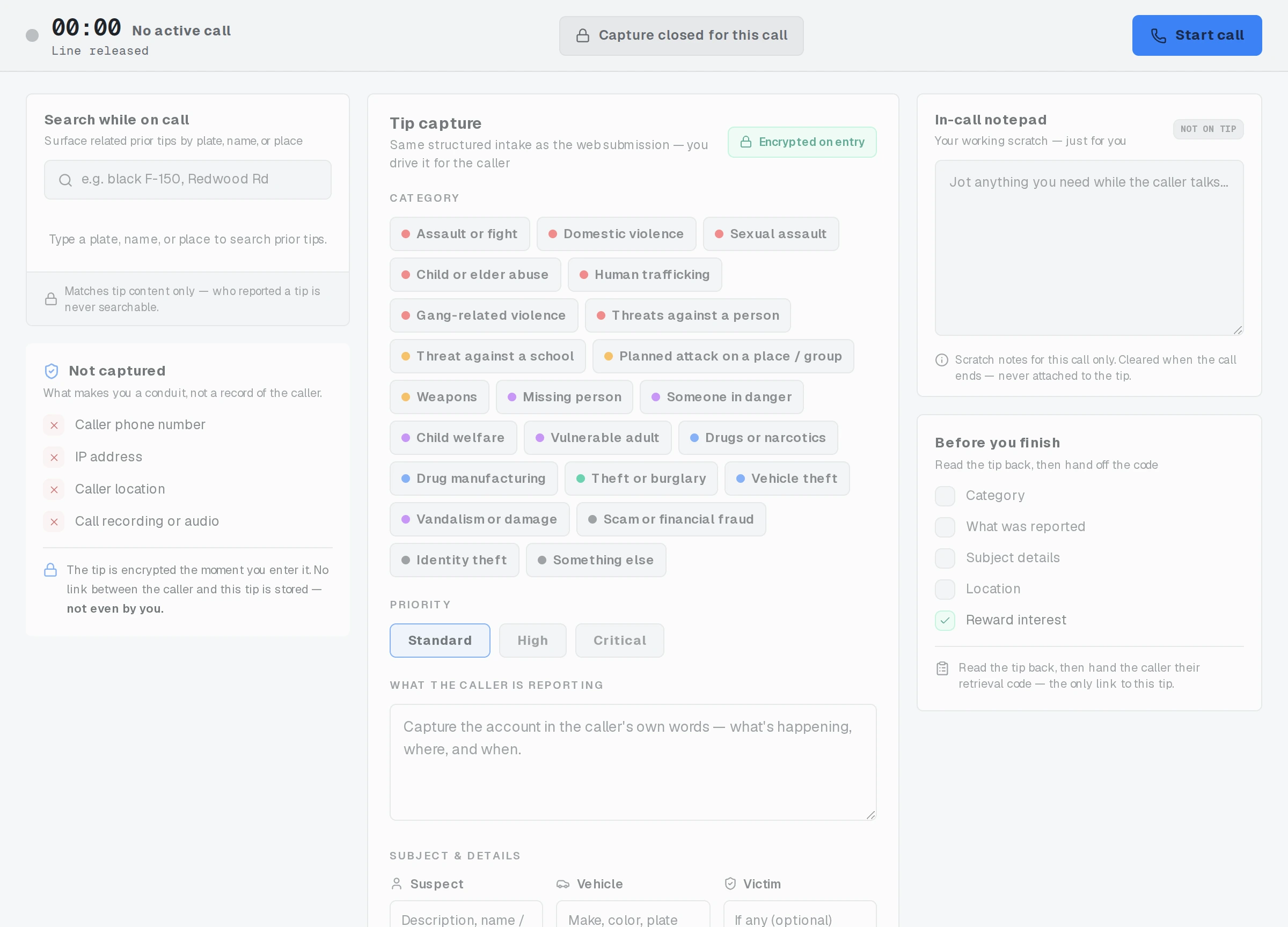
Figure 7. The screen a call-taker uses during a call.
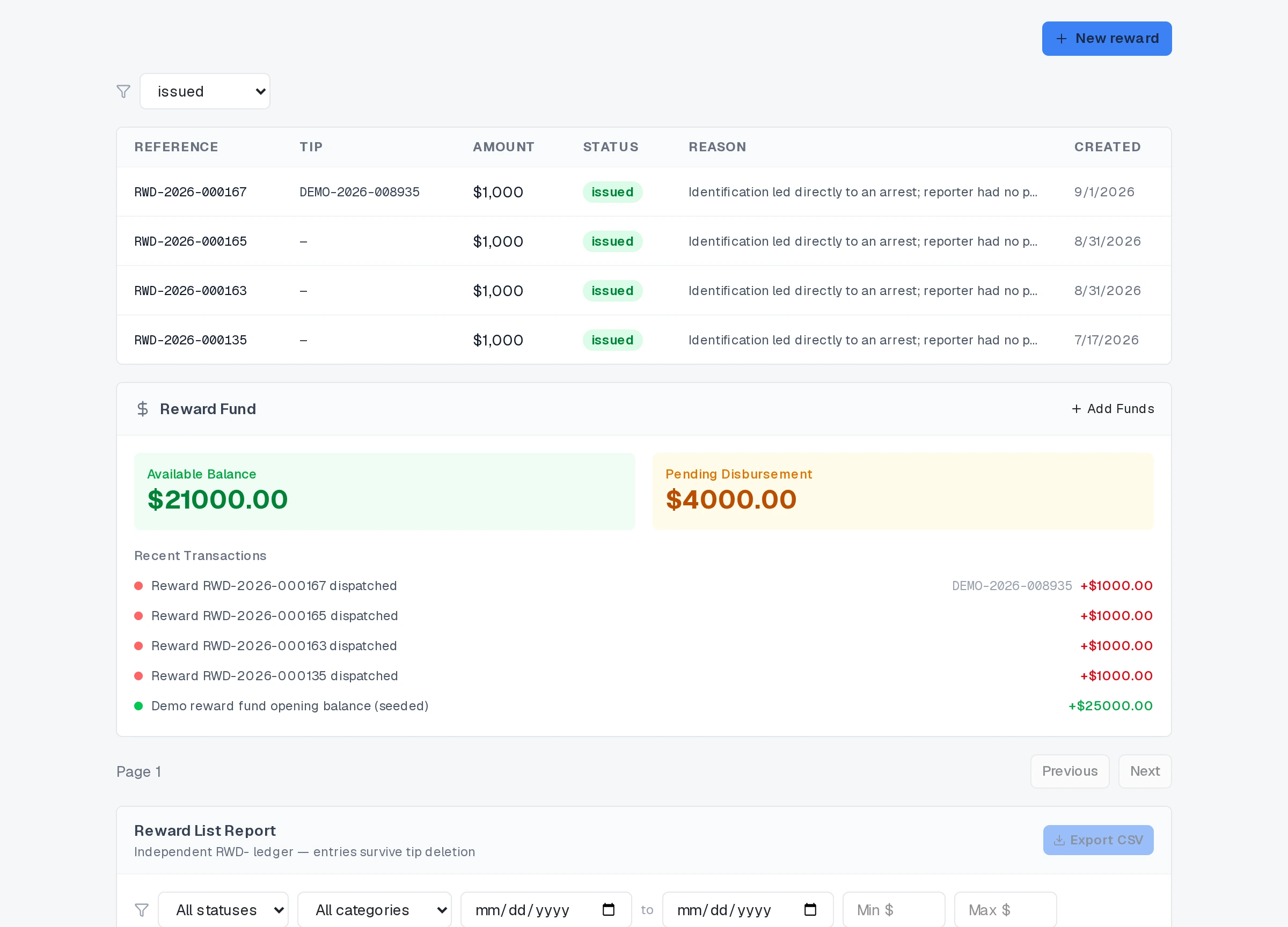
Figure 8. Where a program records and pays rewards.
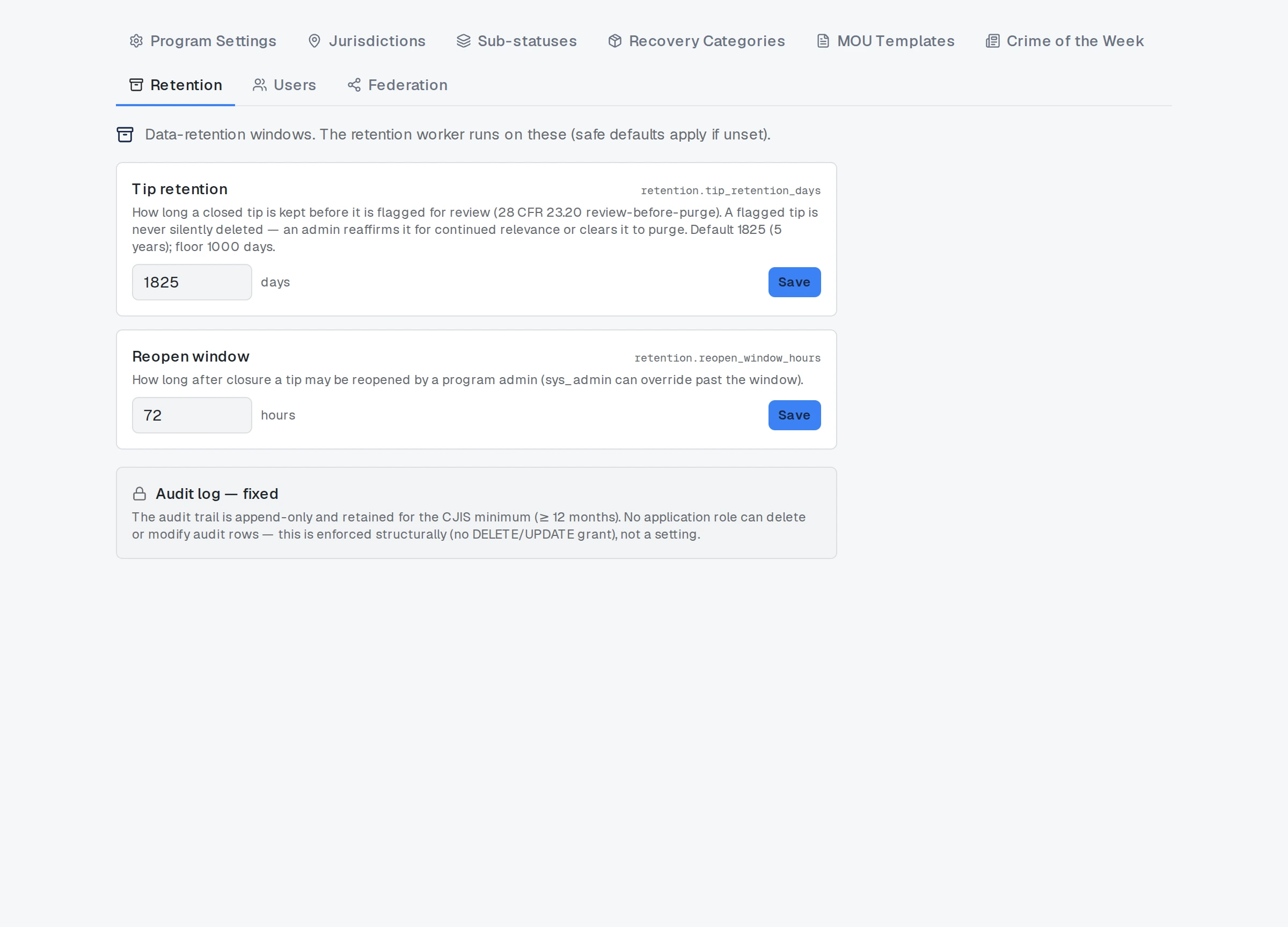
Figure 9. How long a program keeps things, set by the program.
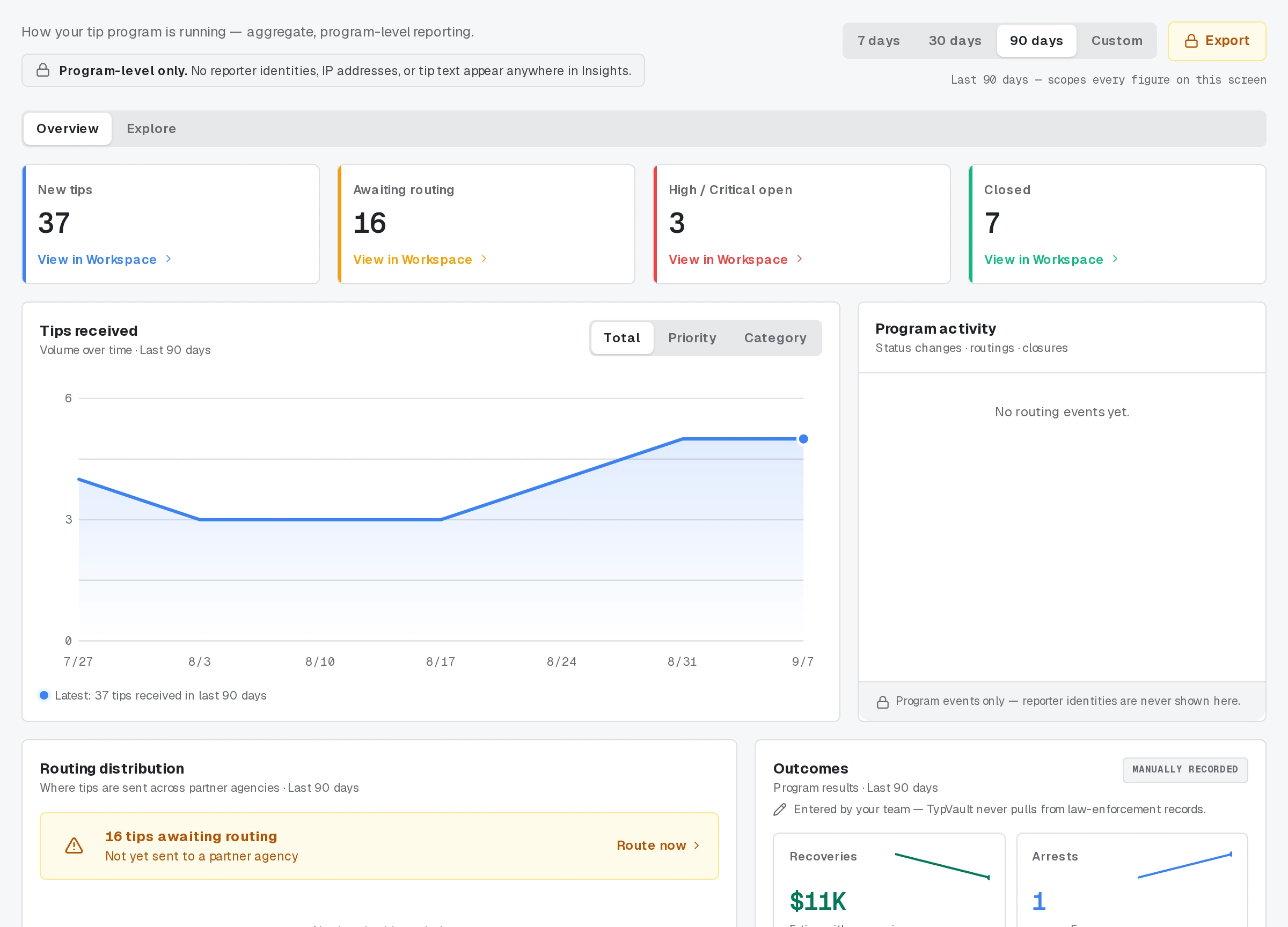
Figure 10. What the program is seeing over time.
Receiving a tip
Section titled “Receiving a tip”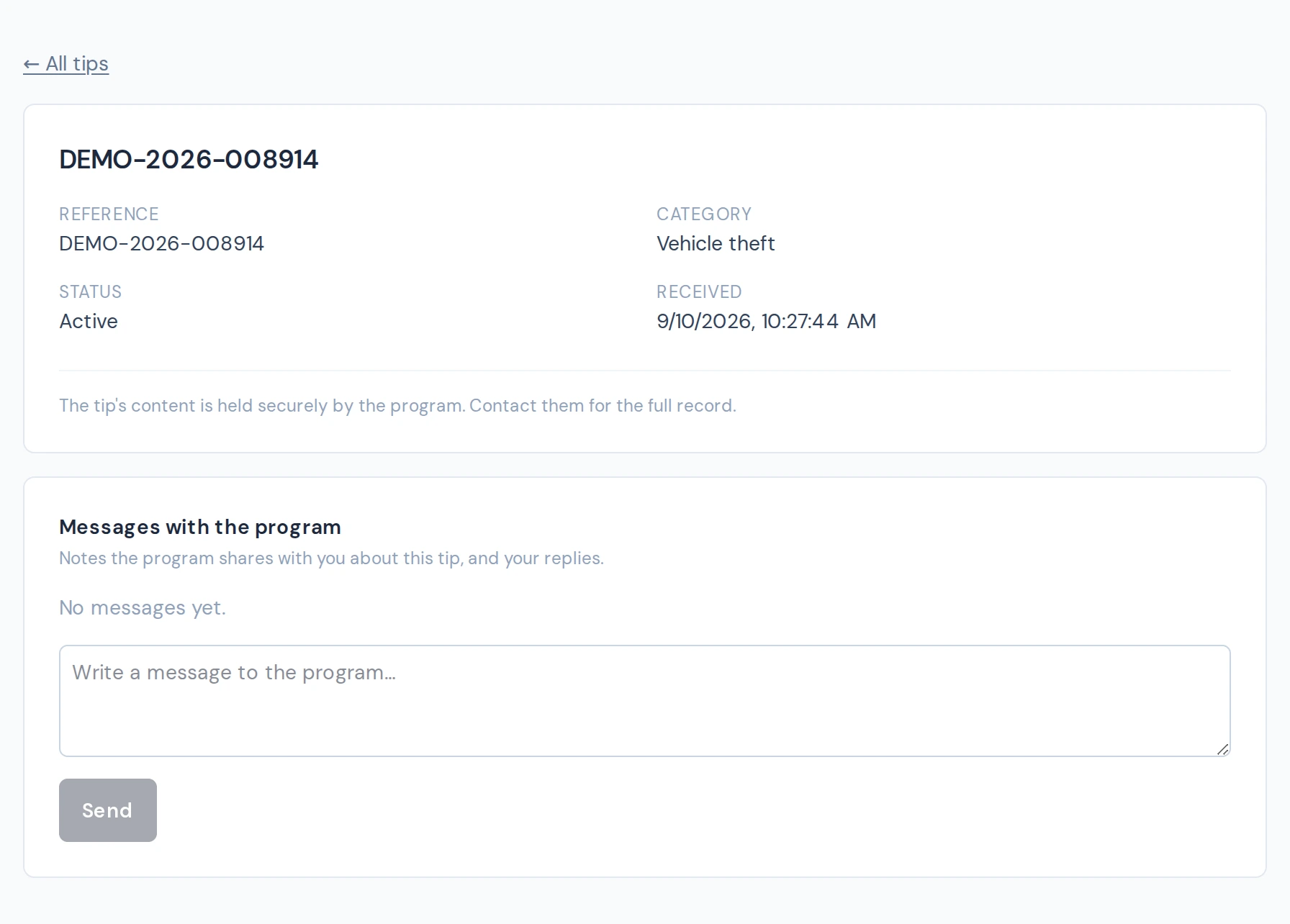
Figure 11. What a receiving agency sees for a tip routed to it.
Related
Section titled “Related”If your program’s screens look different from what’s pictured here, ask your program administrator — programs and versions vary.